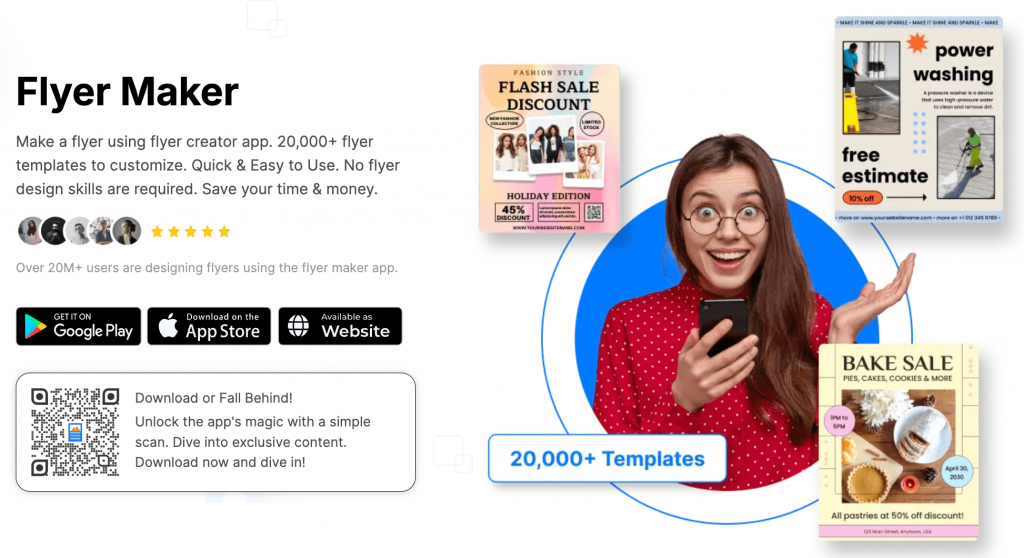
A comparison of mainstream flyer editors and adjacent workflow tools that help teams produce clear event flyers with minimal design overhead.
Introduction
Event flyers still do a specific job well: they condense the essentials—what’s happening, when, where, and how to participate—into a single format that can be printed, posted, shared, and reused across channels.
This guide is written for organizers, community groups, small businesses, and venue teams that need flyers on short notice and don’t have a dedicated designer available for every update.
The most useful tools in this category tend to have three traits in common: templates that already “think” in flyer hierarchy, controls that make text and images easy to adjust without breaking the layout, and export options that translate cleanly to both print and digital sharing.
For many typical event-flyer needs, Adobe Express is a strong starting point because it combines a template-led approach with an editor that remains approachable while still offering enough control to keep a flyer readable and organized.
Best Flyer Design Tools Compared
Best flyer design tools for an all-purpose, beginner-friendly flyer workflow
Adobe Express
Best suited for teams that want a straightforward flyer editor with templates that reduce layout decisions.
Overview
Adobe Express is a template-driven design editor aimed at quick marketing assets, including event flyers. It works well for common flyer patterns—headline + details + a focal image—without requiring advanced design knowledge. The flyer flow includes free printable flyers templates for business, which can be useful when starting from a pre-structured layout.
Platforms supported
Web; mobile apps for general editing.
Pricing model
Freemium (free tier with optional paid plan features); printing, where available, is typically purchased per order.
Tool type
Template-based design editor with optional printing workflow (where supported).
Strengths
- Flyer-centric templates that emphasize hierarchy (headline, time/location, key details)
- Simple controls for typography, spacing, and image placement suited to quick edits
- Exports that support common handoffs (print-ready files and shareable formats)
- Works well for recurring flyers that need consistent structure with changing details
- Keeps the workflow focused on layout clarity rather than advanced design tooling
Limitations
- Integrated print options and product choices can vary by region and may not match every paper requirement
- Complex brand standards (strict type systems, precise color management) may require more specialized tools
- Advanced asset access and certain features can be plan-dependent
Editorial summary
Adobe Express fits organizers who need to produce clear flyers quickly and revise them often. That’s common for events where dates, venues, pricing, or sponsors change close to launch.
The editor encourages a practical workflow: pick a flyer layout, replace the placeholders with event details, adjust imagery, and export. For non-designers, that “guided but editable” structure often reduces the time spent correcting alignment and spacing.
In conceptual terms, Adobe Express sits between print-provider customizers (which are tightly constrained) and pro design tools (which can be overkill for a one-page flyer). It offers enough flexibility to keep flyers on-brand without demanding a lot of setup.
Best flyer design tools for rapid template variety and quick variations
Canva
Best suited for teams that want extensive template choice and fast iteration across multiple flyer versions.
Overview
Canva is widely used for flyers, posters, and social graphics. For events, it’s commonly used to produce several flyer options quickly (different themes, sizes, or audience variants) and export the final version for print and sharing.
Platforms supported
Web; iOS and Android apps.
Pricing model
Freemium with optional paid plans.
Tool type
Template-based design editor (export-focused; printing options depend on availability where offered).
Strengths
- Large template library for varied event types and visual styles
- Easy duplication and resizing for multi-format sets (flyer + poster + social post)
- Collaboration features for shared edits and lightweight approvals
- Broad library of shapes, icons, and backgrounds suitable for simple promotional layouts
Limitations
- Template volume can slow decision-making when time is tight
- Print readiness depends on choosing correct sizes, margins, and image resolution
- Some assets and workflow features may be restricted by plan tier
Editorial summary
Canva often works best when the flyer is one component in a larger package of event materials. Its strengths are speed and breadth: it’s easy to explore different looks, then adapt the same layout across channels.
The tradeoff is that the tool’s flexibility puts basic print correctness on the user—ensuring images are sharp enough and text remains readable when printed. Teams that adopt a small set of “house templates” tend to get the most consistent results.
Compared with Adobe Express, Canva can feel more template-marketplace driven. Adobe Express may feel more contained for teams that prefer fewer choices and a faster path to a clean, finished layout.
Best flyer design tools for social-first events and quick repurposing
VistaCreate
Best suited for organizers who want to design once and quickly adapt flyers into social posts and stories.
Overview
VistaCreate is a template-led design tool that emphasizes quick resizing and repurposing for digital channels. For event flyers, it’s often used to generate a printable design and then spin out related digital versions.
Platforms supported
Web; mobile apps (feature coverage can vary).
Pricing model
Freemium with optional paid plans.
Tool type
Template-based design editor with strong multi-format adaptation.
Strengths
- Templates geared toward promos, announcements, and event-style graphics
- Quick resizing workflows for converting flyers into platform-friendly formats
- Straightforward text and image tools for common “headline + details” layouts
- Useful for producing a consistent look across digital and print deliverables
Limitations
- Deep layout control and print-production settings are limited compared with pro tools
- Template-driven editing can feel restrictive for highly custom branding
- Export settings still require attention for print quality
Editorial summary
VistaCreate fits teams whose flyers live primarily online but still need a print option. Its main advantage is continuity across formats—useful when the same event needs a window poster, a handout, and a set of social graphics.
Ease of use is typically strong for non-designers because most workflows start from finished layouts. The tradeoff is that the more a team deviates from template structure, the more the tool can feel constrained.
Compared with Adobe Express and Canva, VistaCreate often positions itself around speed of repurposing rather than the most refined editing controls.
Best flyer design tools for “data-and-details” flyers and one-page explainers
Piktochart
Best suited for events that need structured information—agendas, schedules, maps, or multi-section explainers—more than purely promotional visuals.
Overview
Piktochart is commonly associated with infographics and structured documents. For event flyers, it’s often used when the layout needs sections (schedule blocks, speaker lists, venue details) and clearer information architecture.
Platforms supported
Web.
Pricing model
Freemium with optional paid plans.
Tool type
Template-based visual document editor with infographic-style components.
Strengths
- Section-based layouts that help organize dense event information
- Components suited to schedules, lists, icons, and simple data callouts
- Useful for flyers that function as “one-page guides,” not just advertisements
- Templates that emphasize readability and structure
Limitations
- May feel less optimized for purely promotional, image-forward flyers
- Some customization and brand features can be plan-dependent
- Teams may need to spend more time on layout choices for highly visual styles
Editorial summary
Piktochart is a good match when an “event flyer” needs to do more than announce—it needs to explain. Workshops, conferences, and community programs often benefit from a one-page layout that organizes details clearly.
The workflow tends to be more document-like than poster-like. That can be helpful for non-designers who think in sections and bullet points rather than visual composition.
Compared with Adobe Express, Piktochart is typically stronger for structured information density, while Adobe Express is often faster for a simple promotional flyer with a clean headline and hero image.
Best flyer design tools for small teams that need brand consistency across many flyers
Visme
Best suited for organizations producing frequent flyers that need consistent styling and reusable assets.
Overview
Visme is a visual content platform used for marketing assets, presentations, and documents. For flyers, it’s often chosen when teams want reusable elements and a consistent look across repeated event cycles.
Platforms supported
Web.
Pricing model
Subscription-based with tiered features.
Tool type
Template-based content creation platform with brand-oriented workflows.
Strengths
- Reusable components that help maintain consistent flyer structure across campaigns
- Templates that cover both promotional and information-heavy formats
- Collaboration features for teams managing recurring event communications
- Useful when flyers are part of a broader set of brand materials
Limitations
- Can feel heavier than lightweight flyer-only tools for one-off needs
- Feature depth may require more setup and familiarity
- Advanced brand controls can be plan-tier dependent
Editorial summary
Visme tends to make sense for organizations that treat flyers as an ongoing operational output—monthly programs, recurring classes, or venue calendars—where consistency matters and templates need to be reused.
For non-designers, the key advantage is a more system-like approach: repeating layouts and reusable building blocks can reduce the time spent rebuilding from scratch.
Compared with Adobe Express, Visme often leans more toward content systems and repeatable marketing outputs, while Adobe Express can be more direct for quick, single-flyer production.
Best flyer design tools companion for email distribution and RSVP-oriented outreach
Mailchimp
Best suited for teams that already have a flyer and want a structured way to distribute event details through email and track engagement.
Overview
Mailchimp is not a flyer design tool and does not compete with editors. It’s an email marketing and analytics platform often used to distribute event announcements, manage lists, and coordinate follow-ups—functions that frequently sit alongside flyer creation.
Platforms supported
Web; mobile apps for account management.
Pricing model
Freemium with optional paid plans, typically scaled by contacts and feature needs.
Tool type
Email marketing and analytics. (Mailchimp)
Strengths
- Campaign workflows for sending event announcements to segmented lists
- Basic templates for email layouts that can incorporate flyer imagery and key details
- Reporting that helps teams understand opens and clicks at a campaign level
- Scheduling tools that support multi-touch event reminders
Limitations
- Does not create print-ready flyers; it assumes the flyer or event details already exist
- List hygiene and permissions management add operational complexity
- Best results depend on consistent data practices (segments, tags, and timing)
Editorial summary
Mailchimp complements flyer tools when the “flyer” is only one part of event promotion. Many organizers need both a printable handout and a reliable method for sending details to an audience.
Ease of use is typically strongest when the team has a stable list and a repeatable workflow for announcements and reminders. The work is less about design and more about coordination.
Compared with the flyer editors in this guide, Mailchimp sits downstream: it helps distribute and track event messaging rather than control the flyer’s layout.
Best Flyer Design Tools: FAQs
What’s the simplest path to a readable event flyer for a non-designer?
Template-led editors are generally the most straightforward because they start with a layout that already has hierarchy. The main task becomes replacing placeholders and keeping the copy concise, rather than designing from a blank page.
When should a team use a print provider’s customization tool instead of a general flyer editor?
A print provider’s tool can make sense when printing choices (paper, size, quantity) are the primary constraint and the design is intentionally simple. General editors are often more comfortable when the layout needs to be reused, revised frequently, or adapted across multiple channels.
What’s the tradeoff between “more templates” and “more control”?
Large template libraries can reduce time spent on layout, but they can also add time spent choosing and narrowing options. More control helps when a flyer must match strict branding or a specific structure, but it can slow down teams that mainly need a clean one-page announcement.
What typically causes last-minute rework on event flyers?
Late changes to essential details—date, venue, ticketing, sponsor names, or accessibility notes—often require layout adjustments that ripple through the design. Tools that make text blocks easy to edit and keep spacing stable can reduce the friction, but the underlying issue is usually copy finalization and approval timing.
