
Deciding when to give your child their first phone is a significant milestone for both parents and kids. Phones offer a convenient way to stay connected, but they also introduce challenges like managing screen time and ensuring online safety. This guide provides detailed insights into determining the right time for your child to get a phone, choosing the best device, selecting an appropriate SIM card, and implementing safety measures to protect them online. It also focuses on cost-saving strategies to make this decision financially manageable. This guide is designed to be comprehensive, practical, and budget-conscious, offering parents a clear roadmap to navigate this important decision.
Is My Child Ready for Their First Phone?
Assessing Maturity and Needs
Determining the right age for your child to receive their first phone is a nuanced decision that depends on their maturity, lifestyle, and specific needs. There’s no universal age that suits every child, as readiness varies based on individual circumstances. Factors such as their ability to follow rules, understand online safety, and manage responsibilities like charging the device or adhering to screen time limits are critical.
A recent survey indicated that 52% of parents provided their child with a phone between ages 10 and 12. Additionally, 65% of parents who hadn’t yet given their child a phone planned to do so within this age range. However, some children may be ready earlier, while others might benefit from waiting longer. For instance, if your child walks to school alone or participates in extracurricular activities, a phone can provide peace of mind for emergencies.
Alternatives for Younger Children
If you feel your child isn’t ready for a smartphone but you want them to have a way to stay in touch, consider a basic “dumbphone” (also called a feature phone). These devices are limited to calling and texting, reducing the risk of excessive screen time or exposure to inappropriate content. They’re also more affordable and durable, making them an excellent stepping stone for younger kids.
Questions to Ask Yourself
Before purchasing a phone, reflect on these questions:
- Does my child need a phone for safety or logistical reasons (e.g., commuting or after-school activities)?
- Can they handle the responsibility of owning a device?
- Are they aware of online risks, and can they follow guidelines to stay safe?
- How will I monitor their phone usage to ensure it’s balanced with other activities?
By carefully assessing these factors, you can make an informed decision about whether your child is ready for their first phone.
Read More: Psychology of Credit Card Spending: Understanding Overspending and Strategies to Stop It

Choosing the Right Phone for Your Child
Cost-Effective Options: Hand-Me-Downs
One of the most budget-friendly ways to provide your child with a phone is to pass down an older device you’re no longer using. If you’re planning to upgrade your phone, consider giving your current device to your child. This approach eliminates the need to purchase a new phone, saving significant costs.
To prepare a hand-me-down phone:
- Ensure it’s unlocked: Most modern phones are sold unlocked, but if yours isn’t, contact your network provider to unlock it for free or at a minimal cost.
- Factory reset the device: This removes your personal data, such as contacts, photos, and apps. Be sure to back up any important information before resetting.
- Insert a new SIM card: You’ll need a SIM card to enable calls, texts, and data. Choose a plan that suits your child’s needs (more on this later).
Hand-me-downs are a practical solution, especially for younger children who don’t need the latest technology.
The Rise of Dumbphones
Dumbphones are making a comeback, particularly in schools, where they’re often recommended to minimize distractions. These basic phones offer limited internet access, preventing children from downloading social media apps or engaging in excessive online activity. Despite their simplicity, many dumbphones support messaging apps like WhatsApp, making them functional for communication.
Benefits of dumbphones include:
- Affordability: Prices start as low as £10, significantly cheaper than smartphones.
- Durability: They’re often built to withstand drops and rough handling.
- Long battery life: Some models, like the Nokia 105 4G (£13.50 at Argos), boast up to 22 days of standby time or 12 hours of talk time.
Popular dumbphone options include:
- Nokia 105 4G: Priced at £13.50, it’s an ultra-affordable option with basic calling and texting features.
- Nokia 2660 Flip 4G: At £64.99 (John Lewis), its flip design is appealing and nostalgic.
- Nokia 6300 4G: Available for £49.99 on Amazon, it offers WhatsApp and limited Facebook access on a small screen.
Dumbphones are ideal for parents seeking a low-cost, low-risk option for younger children.
Selecting a Budget-Friendly Smartphone
If your child is ready for a smartphone, you don’t need to splurge on high-end models like the latest iPhone or Samsung Galaxy. Many budget smartphones offer robust features, including messaging, cameras, and app functionality, at a fraction of the cost. Look for brands like Xiaomi, Motorola, or older models from Apple and Samsung, which are often available for under £200.
When choosing a smartphone:
- Buy outright: Purchasing the phone outright and pairing it with a cheap SIM card is often more cost-effective than a contract.
- Consider refurbished phones: Refurbished devices from reputable sellers (e.g., Amazon Renewed or Back Market) are thoroughly tested, come with warranties, and can save you 20–50% compared to new phones.
- Prioritize essential features: Ensure the phone has a decent camera, reliable battery life, and enough storage for apps and photos.
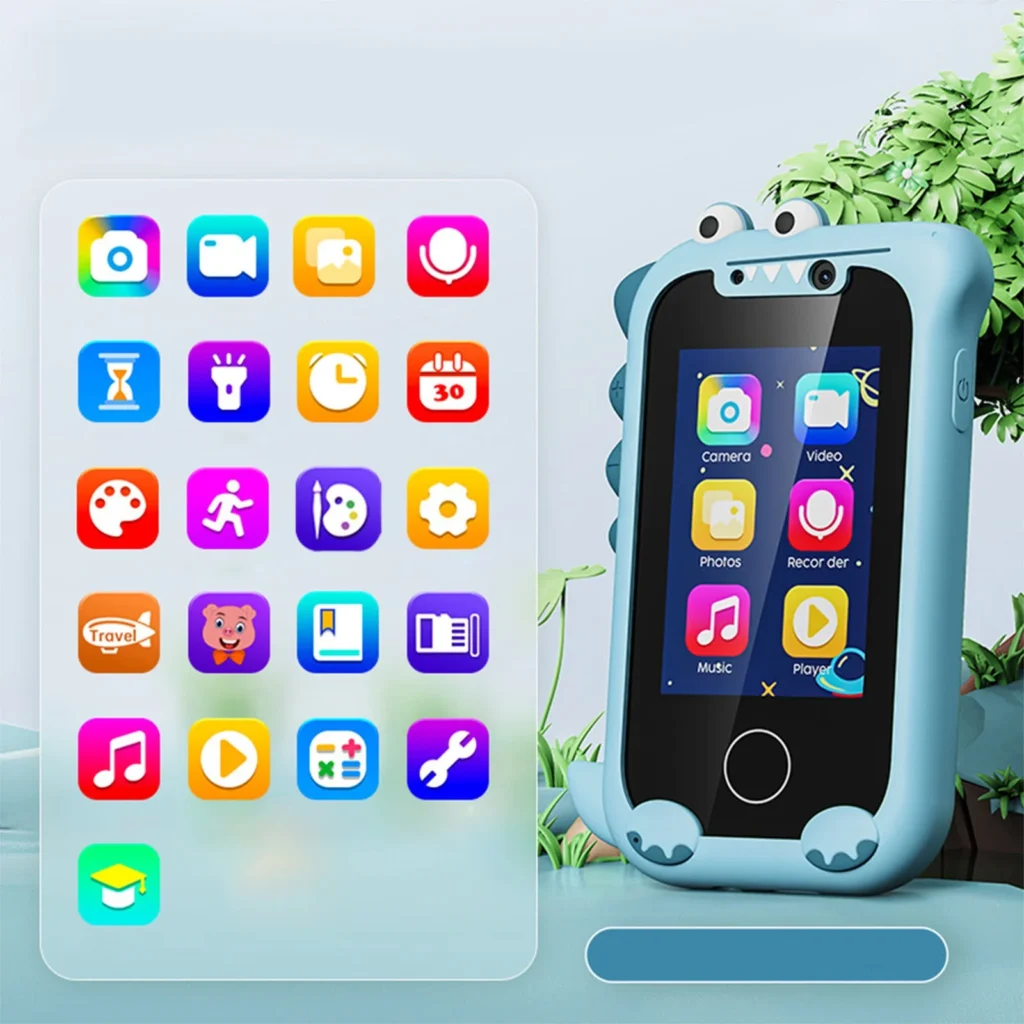
By opting for a budget-friendly or refurbished smartphone, you can provide your child with a capable device without breaking the bank.
Selecting the Best SIM Card for Your Child
Pay-As-You-Go vs. Contract SIMs
Once you’ve chosen a phone, you’ll need a SIM card to enable calls, texts, and data. There are two primary options:
- Pay-As-You-Go (PAYG): You top up the SIM with credit, which is used for calls, texts, and data. PAYG is ideal for light users or parents who want to avoid unexpected bills. However, it’s typically more expensive per unit of usage. Check out guides like the Best Pay-As-You-Go SIMs for top deals.
- Contract SIMs: These provide a monthly allowance of minutes, texts, and data, often at a lower cost per unit than PAYG. Contracts range from 30 days to two years, offering flexibility. For the best options, explore tools like the SIM Only Finder.
Family SIM Plans
Some networks offer family SIM plans, allowing you to manage multiple SIMs under one bill. This can be convenient for tracking usage and payments but may be more expensive than individual SIMs. Compare costs to ensure you’re getting the best value.
Specialist SIMs for Enhanced Control
For parents seeking advanced safety features, consider a specialist SIM like ParentShield. Designed specifically for children, ParentShield offers:
- Uninterrupted coverage: It uses Three’s network but can connect to other networks if the signal is weak, ensuring your child is always reachable.
- Time controls: Set restrictions like “school block” (9 AM–3 PM) to limit calls, texts, and data, except for approved numbers and emergency services.
- Monitoring: Track your child’s calls and texts, with alerts for unusual patterns or concerning keywords.
- Data and spending controls: Monitor data usage, reserve data for emergencies, and block premium-rate services or international calls.
ParentShield plans range from £9.99/month (250 minutes/texts, PAYG data at £1.60/MB) to £59.99/month (500 minutes/texts, 20GB data). While pricier than standard SIMs, it’s the only provider with such robust parental controls. Note that these controls only apply when connected to the mobile network, not Wi-Fi.
Tips for Managing SIM Costs
- Set a spend cap: Many networks allow you to cap monthly spending to prevent bill shock.
- Avoid credit checks: Some PAYG and short-term contract SIMs don’t require credit checks, making them easier to obtain.
- Monitor usage: Use tools like the MSE App’s Bill Buster to track your child’s mobile bill, receive contract end alerts, and find cheaper deals based on their data needs. The app is available on the App Store and Google Play.
Protecting Your Child Online
Limiting Internet Access
To minimize exposure to inappropriate content, consider these options:
- Choose a dumbphone: As mentioned, dumbphones lack app stores and social media, significantly reducing online risks.
- Disable mobile data on a PAYG SIM: Use the phone’s parental controls to turn off data, limiting internet access to Wi-Fi (which you can control separately).
- Opt for a no-data SIM: For example, Asda Mobile offers a £4/month contract with unlimited minutes and texts but no data, ensuring your child can stay in touch without internet access.
Setting Up Parental Controls on Smartphones
Smartphones require robust parental controls to ensure safety. Both iOS and Android devices offer built-in tools:
iPhone (Apple Family Sharing):
- Create an Apple ID for your child (requires an email address).
- Go to Settings > Screen Time, select “This is My Child’s iPhone,” and follow the prompts to set:
- Screen time limits.
- App restrictions (e.g., block social media or specific apps).
- Content filters for the App Store and web.
- Limits on camera, location, and other permissions.
- Purchase restrictions to prevent in-app spending.
- See Apple’s official guide for detailed instructions.
Android (Google Family Link):
- Create a Google account for your child.
- Install the Family Link app from the Google Play Store.
- Navigate to Settings > Digital Wellbeing and Parental Controls > Parental Controls to set:
- Daily screen time limits.
- App blocks or restrictions.
- Content filters for apps and websites.
- Approval requirements for purchases or downloads.
- Family Link also offers location tracking for added safety.
Preventing In-App Purchases
To avoid unexpected charges:
- On iPhone: Go to Settings > Screen Time > iTunes & App Store Purchases > In-App Purchases and select “Don’t Allow.” Alternatively, enable password protection for purchases.
- On Android: Open the Family Link app, select your child, go to Content Restrictions > Google Play > Purchases & Download Approvals, and choose the desired approval level (e.g., “Only in-app purchases”).
Network-Based Parental Controls
Many mobile networks offer basic content filtering to block age-inappropriate websites. Check your network’s online account management portal or contact customer service to enable these settings. However, these controls only apply when the phone is connected to the mobile network, not Wi-Fi. Set similar restrictions on your home Wi-Fi for consistent protection.
Online Safety Resources
For expert advice on keeping your child safe online, explore these trusted resources:
- National Crime Agency – CEOP: Offers videos for kids and guides for parents on online safety.
- Childnet: Provides tips for discussing online safety with children, including guidance for under-fives.
- NSPCC: Shares strategies for creating a safe online environment and identifying risks.
- Barnardo’s: Offers videos and expert advice on addressing explicit content and online risks.
- UK Safer Internet Centre: Provides safety tips and a platform to report harmful content.
- Online Safety Hub: Tailored advice for children with additional learning needs, created by South West Grid for Learning and Internet Matters.
Feedback and Community Engagement
This guide is a starting point, and we welcome your input to make it even better. Share your feedback, tips, or personal experiences in the Buying Your Child Their First Phone forum thread. Your insights can help other parents make informed decisions.
Conclusion
Choosing your child’s first phone involves balancing connectivity, safety, and cost. By assessing your child’s readiness, selecting an affordable device (like a hand-me-down, dumbphone, or budget smartphone), choosing the right SIM card, and implementing robust parental controls, you can ensure a safe and cost-effective experience. Tools like ParentShield and network-based filters offer additional peace of mind, while resources from organizations like the NSPCC and Childnet provide expert guidance on online safety. With careful planning, you can empower your child with the benefits of a phone while minimizing risks and keeping costs low.
