In today’s digital-first world, online storage needs have outgrown the capacities of most smartphones and laptops. Whether you want to store holiday photos, safeguard important documents, or back up your entire music library, free online storage offers a convenient and secure solution. Many cloud storage providers now allow users to store over 35GB of content at no cost by combining multiple services.
This comprehensive guide explores how cloud online storage works, evaluates the safety of these services, and ranks the best free storage providers available. By understanding your options, you can make informed choices about protecting your digital assets.
What Is Online Storage?
Online storage—commonly referred to as cloud online storage—enables users to upload digital content such as photos, videos, music, and documents to remote servers. These servers are typically maintained by tech giants such as Google, Microsoft, Apple, and Amazon. Files stored in the cloud are accessible via the internet, allowing users to retrieve, manage, or share their data from virtually anywhere.
Benefits of Online Storage
- Accessibility across devices (phones, tablets, laptops)
- Reduced dependency on physical drives
- Enhanced collaboration for document sharing
- Automatic backup features to prevent data loss
- Options for scaling up space as needed
How Does Cloud Online Storage Work?
When you upload a file to a cloud storage platform, it is transferred to a secure server managed by the storage provider. These servers are located in massive data centers across the globe. Files remain stored on these servers until you delete them or move them elsewhere. Many services offer syncing capabilities, which automatically update files across your devices whenever changes are made.
Is Online Storage Safe?
Security is a critical concern with any form of online data management. Reputable cloud providers implement advanced encryption protocols to protect your files in transit and at rest. Most platforms also support:
- Two-factor authentication (2FA)
- End-to-end encryption
- Role-based access for shared files
- Security alerts for unauthorized logins
Despite these measures, it is advisable to avoid uploading highly sensitive or personal information unless the platform provides end-to-end encryption.
How Much Storage Do You Need?
Storage requirements vary depending on usage:
- Basic documents and spreadsheets: ~5GB is usually sufficient.
- High-resolution photos and HD videos: 15GB to 100GB may be required.
- Media libraries or backups: 1TB or more is recommended.
Assess your needs based on the type of content you plan to store and whether it includes future growth expectations.
Read More: Budget-Friendly Gardening: Maximizing Yield While Minimizing Costs
Top Free Online Storage Services
Numerous platforms offer complimentary storage with optional upgrades. Most users can easily gather over 35GB of free cloud space by signing up for multiple providers.
Google Drive – 15GB Free
Google Drive is one of the most versatile and widely used cloud storage solutions. A free Google account grants users 15GB of storage shared across Gmail, Google Photos, and Drive.
Key Features:
- Native integration with Google Docs, Sheets, and Slides
- Seamless syncing with Android devices
- Access via desktop, browser, or mobile app
Paid Options:
- 100GB: £1.59/month or £15.99/year
- 200GB: £2.49/month or £24.99/year
- 2TB: £7.99/month or £79.99/year
Box – 10GB Free
Box is popular in business environments but also offers personal plans. Its clean user interface and collaboration tools make it suitable for professionals and students.
Key Features:
- Desktop and mobile app support
- Real-time document editing via Microsoft Office integration
- File upload limit: 250MB (free plan)
Paid Options:
- 100GB: £8/month (annual billing available)
OneDrive – 5GB Free (Students Get 1TB)
Microsoft’s OneDrive is tightly integrated with Windows 10 and 11 systems, making it a go-to solution for PC users.
Key Features:
- 5GB of free storage
- Native integration with Microsoft Office
- File sharing and real-time collaboration
Paid Options:
- 100GB: £1.99/month
- 1TB (Office 365 Personal): £5.99/month or £59.99/year
- 6TB (Office 365 Family for 6 users): £7.99/month or £79.99/year
Apple iCloud – 5GB Free
iCloud is Apple’s default cloud service for iPhone, iPad, and Mac users. It automatically backs up photos, contacts, messages, and application data.
Key Features:
- Native on iOS and MacOS
- Cross-device syncing for Apple users
- Basic sharing and collaboration tools
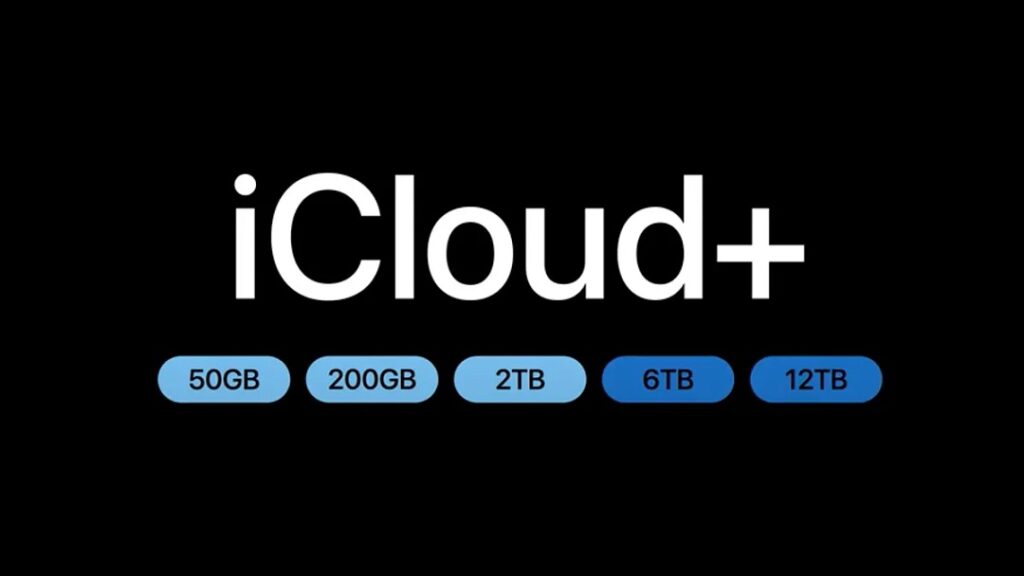
Paid Options:
- 50GB: 99p/month
- 200GB: £2.99/month
- 2TB: £9.99/month
Dropbox – 2GB Free (Up to 16GB with Referrals)
Dropbox remains one of the most recognized names in cloud storage. Though its free storage is limited, referral bonuses offer an effective way to increase capacity.
Key Features:
- 2GB free with up to 16GB via referrals
- Cross-platform access
- Folder syncing and automatic photo uploads
Paid Options:
- 2TB (Plus): £7.99/month
- 2TB for 6 users (Family): £13.99/month
- 3TB (Professional): £16.58/month
BT Cloud – Free for Existing Customers
BT broadband users can access additional storage at no extra cost, depending on their package.
Storage Allowance:
- Ranges from 10GB to 1,000GB
- No longer available to new customers
Access Points:
- Web browser, Windows, MacOS, iOS, Android
Best Free Online Photo and Video Storage Services
If your primary concern is media storage, several platforms cater specifically to photos and videos.
Google Photos – 15GB Free
Google Photos is ideal for storing and organizing media. It includes smart features such as facial recognition, location tagging, and automatic albums.
Shared Storage:
- Shared with Google Drive and Gmail
Paid Upgrades:
- Part of Google One plans starting at £1.59/month
Flickr – 1,000 Free Photos/Videos
Flickr is a hybrid between a storage platform and a photo-sharing community. It allows uploads of up to 1,000 full-resolution files on its free tier.
Paid Options:
- Flickr Pro: £6.99/month, £60/year, or £111.84/two years
- Includes unlimited storage and analytics
Comparison Table: Storage by Provider
| Provider | Free Storage | Paid Plans Available | Best For |
|---|---|---|---|
| Google Drive | 15GB | From £1.59/month | All-purpose storage |
| Box | 10GB | From £8/month | Business file collaboration |
| OneDrive | 5GB | From £1.99/month | Microsoft Office users |
| iCloud | 5GB | From 99p/month | iOS/macOS users |
| Dropbox | 2GB (16GB max) | From £7.99/month | Syncing across platforms |
| Flickr | 1,000 photos/videos | £6.99/month | High-resolution photo storage |
| BT Cloud | Up to 1TB (for BT users) | Not available for new users | Existing BT broadband users |
How to Keep Your Cloud Storage Secure
Storing personal data online requires vigilance. While providers employ strict security measures, users should also follow best practices.
Top Security Tips:
- Use strong, unique passwords
- Enable two-factor authentication
- Avoid auto-uploading sensitive files
- Keep antivirus software updated
- Regularly review file access logs
Password managers such as Bitwarden or LastPass can help manage credentials securely.
Cost-Effective Paid Storage Options
When free space is not enough, consider upgrading to a paid plan. Providers like Google, Apple, and Microsoft offer affordable plans that suit various needs.
Best-Value Options:
- Google Drive 100GB: £15.99/year
- Apple iCloud 50GB: £9.48/year
- Dropbox Plus 2TB: £7.99/month
- KnowHow Cloud 4TB: £50/year (via Currys)
Alternative to Cloud: External Hard Drives
For those wary of cloud-based services or needing offline storage, external hard drives offer a practical solution. 1TB hard drives are currently available for as little as £40, making them ideal for one-time purchases without subscription costs.
FAQS
What is free online storage?
Free online storage allows users to save files like photos, videos, and music on cloud servers without paying any subscription fees.
Which are the best free cloud storage services in 2025?
Top free options include Google Drive, Dropbox, OneDrive, Mega, pCloud, iCloud, Degoo, Sync.com, MediaFire, and Internxt.
How much free storage do cloud services usually offer?
Most services offer between 5 GB to 20 GB of free storage, though some providers like Degoo offer up to 100 GB for free.
Are free cloud storage services secure?
Yes, reputable services use encryption and secure protocols. Always choose trusted platforms and enable two-factor authentication for added safety.
Can I store videos and music files without losing quality?
Yes, most services preserve the original quality of your files unless you choose compression settings during upload or download.
Can I access my files offline using free cloud online storage?
Many services allow file syncing, which lets you download selected files to your device for offline access.
Is there a limit to file size uploads on free accounts?
Yes, most platforms impose upload size limits, ranging from 250 MB to 5 GB per file depending on the provider.
Can I share my stored files with others?
Yes, all major cloud storage services allow you to share links or folders securely with others via email or direct URL.
Do free storage plans expire or delete inactive accounts?
Some services delete inactive accounts or data after a set period. Always read the terms and log in regularly to avoid data loss.
Can I upgrade free cloud storage if I need more space?
Yes, almost all providers offer premium plans with additional storage and features like increased file size limits and advanced sharing options.
Can I back up my phone data using free cloud storage?
Yes, services like Google Drive, iCloud, and OneDrive offer automatic backup options for mobile photos, contacts, and app data.
What happens if I exceed the free storage limit?
Once you exceed the limit, you won’t be able to upload new files unless you delete existing ones or upgrade to a paid plan.
Are there any ads or hidden charges in free cloud storage?
Free plans sometimes include ads or limited features. Reputable platforms are transparent, but always review the terms to avoid surprise charges.
Can I use multiple free storage services at once?
Yes, you can combine multiple services like Google Drive, Dropbox, and Mega to increase your overall free storage capacity.
Which free storage service is best for media files like music and videos?
pCloud, Mega, and Sync.com are well-suited for large media files due to generous storage limits and fast streaming or download speeds.
Conclusion
Cloud storage has transformed the way we handle digital content. Whether you want to back up family photos, store academic documents, or access files across devices, there is a free service to meet your needs. By combining multiple providers, you can gather over 35GB of space without spending a penny.
Selecting the right mix of platforms depends on your specific requirements. Prioritize compatibility, ease of access, and long-term reliability. With the right approach, you can confidently store, share, and manage your digital life—securely and affordably.
