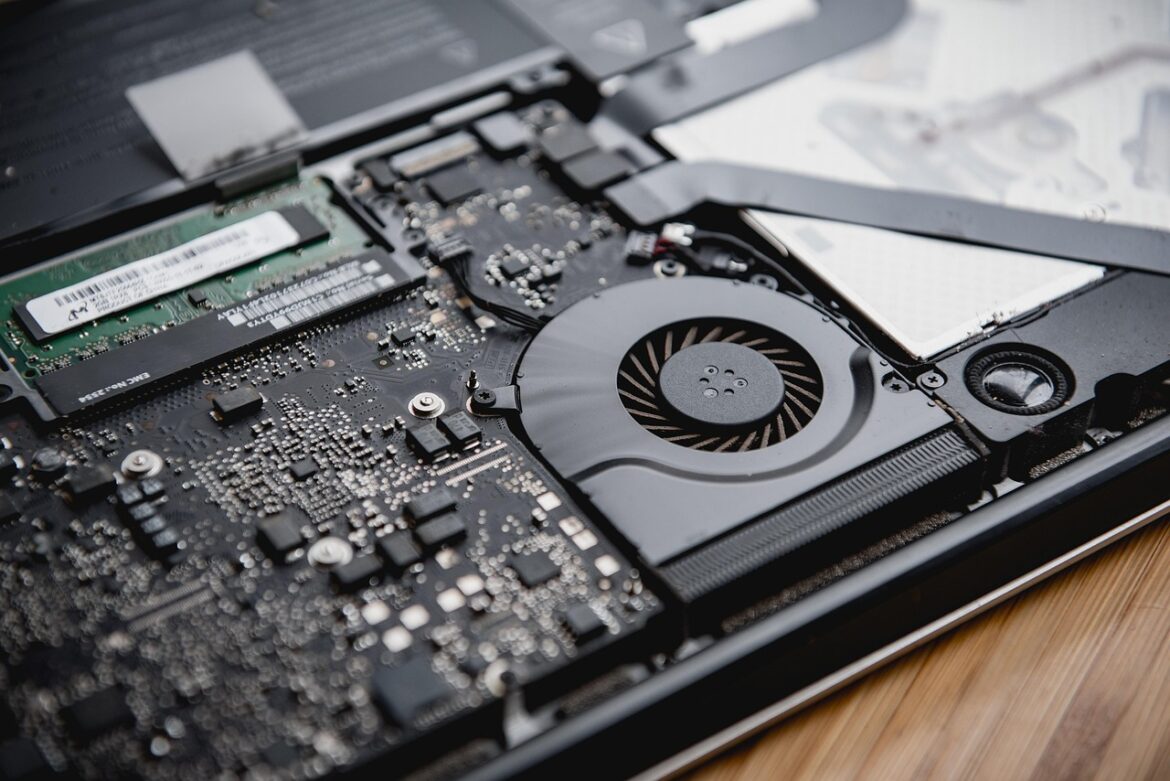
Modern computing devices rely heavily on memory to function efficiently. From loading your operating system to storing your files and running applications, different types of memory play unique roles in this process. The three most commonly encountered types of memory are RAM, ROM, and Flash Memory. While they may seem similar, they serve different purposes and have distinct properties that impact system performance, stability, and storage.
This comprehensive guide breaks down the differences between RAM, ROM, and Flash Memory, examining each in terms of function, types, architecture, performance, and applications.
Types and Characteristics of RAM
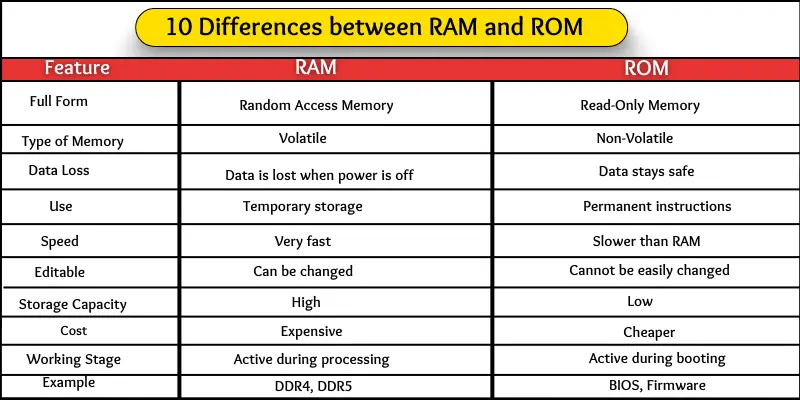
RAM, or Random Access Memory, is a type of volatile memory used to store data that is actively being used or processed by a computer system. Once the system is turned off, the data in RAM is lost. RAM plays a vital role in system speed and performance.
Static RAM (SRAM)
SRAM is designed for high-speed access and is typically used in CPU cache and registers. It is constructed using flip-flop circuits, making it significantly faster and more stable than DRAM. However, SRAM is also much more expensive and less dense, so it is not suitable for large-scale memory use.
Uses: L1 and L2 cache memory in CPUs.
- Speed: Very fast.
- Cost: High.
- Volatility: Yes – loses data when power is off.
Dynamic RAM (DRAM)
DRAM stores data using capacitors and transistors, which need to be constantly refreshed to maintain their charge. DRAM is cheaper and can store more data than SRAM but is also slower due to the refresh cycles.
- Uses: Main system memory (RAM) in computers.
- Speed: Slower than SRAM.
- Cost: Lower.
- Volatility: Yes – data is lost without power.
Common DRAM Variants
- SDRAM: Synchronous with the system bus.
- DDR SDRAM: Double Data Rate; reads/writes twice per clock cycle.
- DDR2/DDR3/DDR4/DDR5: Evolved generations with improved bandwidth and efficiency.
Most modern PCs and laptops use DDR4 or DDR5 RAM, offering fast data access for multitasking, gaming, and high-performance computing.
ROM: Permanent Memory for Core Instructions
ROM, or Read-Only Memory, is a non-volatile type of memory that stores critical data permanently. It cannot be easily modified or rewritten, making it suitable for firmware and system-level operations.
Key Types of ROM
MROM (Masked ROM)
- Pre-programmed by the manufacturer.
- Cannot be altered once created.
- Rarely used in modern applications.
PROM (Programmable ROM)
- Programmable once using a special device.
- After programming, data cannot be changed.
EPROM (Erasable Programmable ROM)
- Can be erased using ultraviolet light.
- Rewritable using specialized tools.
- Used in some legacy embedded systems.
EEPROM (Electrically Erasable Programmable ROM)
- Can be erased and rewritten electronically.
- Supports byte-level erasure.
- Slower to write but highly durable.
- Commonly used in BIOS chips and microcontrollers.
ROM is essential in storing the bootloader, firmware, and BIOS, enabling your system to start up and interface with hardware.
Flash Memory: The Best of Both Worlds
Flash memory is a non-volatile storage technology that combines the persistence of ROM with the reusability of RAM. It evolved from EEPROM and can be erased and written electronically in blocks instead of individual bytes, making it faster and more efficient.
Key Applications of Flash Memory
- USB flash drives.
- SSDs (Solid-State Drives).
- Memory cards (SD cards, microSD).
- Embedded systems.
- Firmware storage.
Comparing NOR and NAND Flash Memory
Flash memory is mainly classified into two architectures: NOR and NAND. Each has different design principles, performance levels, and use cases.
NOR Flash
- Supports byte-level access.
- Ideal for code execution (XIP: eXecute In Place).
- Has higher read speeds and reliability.
- Used in firmware storage, BIOS, and medical devices.
NAND Flash
- Optimized for sequential block access.
- Has faster write/erase speeds and greater storage density.
- Commonly used in SSDs, USB drives, and media storage.
- Requires error correction and block management.
| Feature | NOR Flash | NAND Flash |
|---|---|---|
| Read Speed | Fast | Moderate |
| Write Speed | Slow | Fast |
| Erase Unit | Large (64–128 KB) | Small (8–32 KB) |
| Access Type | Random Byte Access | Block Access |
| Cost per Bit | Higher | Lower |
| Capacity | 1–16 MB typical | 8 MB–TBs |
| Executable Code | Yes | No (requires RAM) |
Interface Differences
NOR Flash: Has SRAM-like interface, uses multiple address and data lines for direct access.
NAND Flash: Uses serial interface and requires fewer pins, which helps reduce manufacturing complexity.
Capacity and Cost Considerations
- NAND can offer higher capacities (e.g., 256 GB and above) at lower costs.
- NOR is more expensive per bit but is optimal for small memory spaces where code needs to execute directly.
Reliability and Durability
Bit Reliability
NAND flash is more prone to bit errors and therefore needs error correction codes (ECC) to maintain data integrity. NOR is generally more robust in maintaining data consistency.
Service Life
- NAND: Up to 1 million erase/write cycles per block.
- NOR: Around 100,000 erase/write cycles.
Because NAND is used more heavily in data-intensive applications, it also features wear-leveling to distribute writes evenly.
Bad Block Management
NAND flash is manufactured with some bad blocks by default. These must be mapped out and managed via software or firmware, which increases complexity but keeps the cost low.
Software and System Support
Software Drivers
NOR Flash: Often used directly with minimal driver support. Many OS vendors offer built-in NOR flash support.
NAND Flash: Requires MTD (Memory Technology Driver) and file systems like YAFFS, UBIFS, or F2FS for Linux.
Embedded System Use
NAND is often paired with a small NOR chip to handle boot code, while NAND stores the OS, applications, and user data.
Use Cases for Each Memory Type
| Memory Type | Key Use Cases |
|---|---|
| SRAM | CPU cache, registers |
| DRAM | Main system memory |
| ROM | Firmware, BIOS |
| EEPROM | Configuration settings, microcontroller memory |
| Flash | SSDs, USBs, mobile storage, embedded OS |
Summary: Core Differences Between RAM, ROM, and Flash
| Feature | RAM | ROM | Flash Memory |
|---|---|---|---|
| Volatility | Volatile | Non-volatile | Non-volatile |
| Rewrite Capability | Yes | No (limited) | Yes |
| Data Persistence | No | Yes | Yes |
| Speed | Fast | Slow | Moderate |
| Use Case | Active memory | Firmware/Boot | Storage, OS, Data |
FAQs
What is ROM and its function?
ROM is Read-Only Memory that stores firmware and crucial instructions to boot the system and interface with hardware components.
What are the four types of ROM?
MROM, PROM, EPROM, and EEPROM.
What is RAM in a computer?
RAM is temporary memory that stores data and programs actively in use. It allows fast access and enhances system responsiveness.
What is flash memory used for?
Flash memory is used in SSDs, USB drives, mobile phones, embedded systems, and more to store data persistently and efficiently.
Is flash memory a type of RAM or ROM?
Flash is a type of ROM, specifically EEPROM, which is rewritable and non-volatile.
What are the types of flash memory?
NOR and NAND flash are the primary types, each optimized for different performance and storage applications.
Conclusion
Understanding the distinctions between RAM, ROM, and Flash Memory is crucial for anyone working with computers, embedded systems, or digital devices. Each has a unique role:
- RAM offers fast, temporary storage essential for processing tasks.
- ROM stores permanent, unchangeable instructions to power the system.
- Flash Memory bridges the gap with high-density, reprogrammable, and persistent storage, ideal for both firmware and user data.
Selecting the right memory depends on your application’s speed, persistence, cost, and capacity requirements. As technology continues to evolve, these memory types will remain fundamental to computing architectures.
