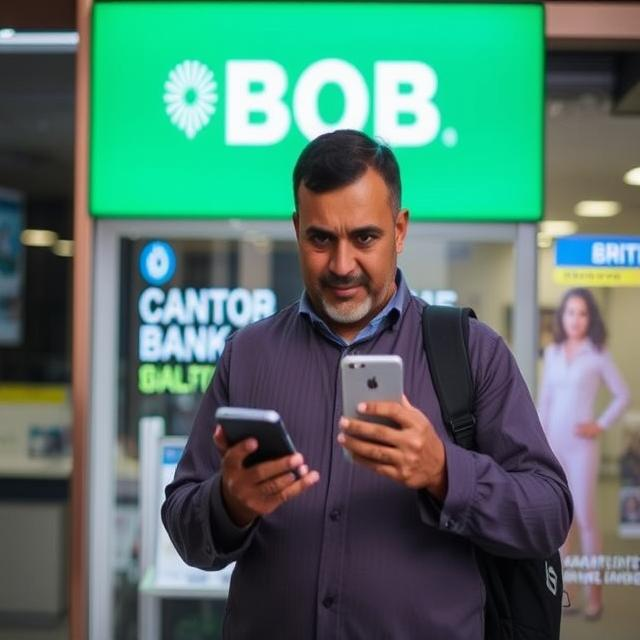
Imagine this—you wake up one morning, ready to update your BOB Lite account mobile number, and confidently walk into the bank, thinking it’s a simple process. But instead of a smooth experience, you’re met with an unexpected hurdle: “We cannot change your mobile number unless you first deactivate net banking.”
BOB Mobile Number Update: No problem, right? You rush back home, deactivate net banking, and even receive a confirmation email saying it’s done. But when you return to the bank, expecting things to go smoothly, you face the same error. Frustration builds up. The bank tells you to “wait for a few days.” Still, nothing changes.
If you’ve been through something like this, don’t worry—you’re not alone. This guide will walk you through exactly why this happens, how to fix it, and what steps you should take to update your BOB registered mobile number successfully.
Why Can’t the Bank Change My Mobile Number?
Updating a registered mobile number in BOB Lite should be straightforward, but here are some reasons why the bank might be struggling to process your request:
Active Net Banking or Mobile Banking Services
When a bank employee tells you that your net banking must be deactivated first, they aren’t wrong—but that’s not the full story. Many BOB users have reported that even after deactivating net banking, they still face the same error.
- Some banks require a cooling-off period (which they don’t always mention clearly).
- If your mobile banking login was also deactivated along with net banking, the system might still recognize your previous status.
- The deactivation request might still be in processing, even if you got an email confirmation.
Online Account Opening and SMS Facility Issue
Since you opened your BOB Lite account online and didn’t select the SMS facility, this could be a crucial reason behind the issue.
- Without the SMS facility, the system may not allow any changes related to your mobile number.
- Some accounts created online might not have full KYC verification, leading to system restrictions.
Outdated Bank Systems & Technical Glitches
Unfortunately, some bank servers and systems aren’t updated frequently, leading to technical glitches. This can result in errors when trying to update your details.
- Some bank employees may not be trained on how to handle these system errors.
- There may be an internal dependency on higher authorities for approval, which they don’t always disclose upfront.
Cooling-Off Period or Internal Processing Delays
Even though you deactivated net banking, the system may still be processing it internally. Some banks require a cooling-off period before making any changes.
- This period can range from 24 hours to 7 days, depending on the bank’s policies.
- Bank staff might not be aware of the exact duration, which is why they keep asking you to “come after a few days.”
Step-by-Step Guide: How to Update Your Mobile Number in BOB Lite Successfully
If you’re struggling with the BOB mobile number update, follow these steps to make the process as smooth as possible:
Double-Check Net Banking & Mobile Banking Deactivation
Log in to your email and check the confirmation of net banking deactivation.
If mobile banking was also deactivated, check your SMS/email for confirmation.
Wait at least 48 hours before trying again.
Visit a Different Bank Branch
If your current branch is not helpful, visit another BOB branch in your city.
Different branches sometimes have better-trained staff or updated systems.
Request Activation of SMS Facility (If Not Done)
Since you didn’t select the SMS facility during online account creation, request the bank to enable it now.
Some users reported that once the SMS facility was enabled, they could successfully change their mobile number.
Submit a Written Request
If bank employees refuse or keep delaying, submit a written request.
Mention clearly:
- Your account details
- Confirmation that net banking and mobile banking are deactivated
- Request to enable SMS facility (if needed)
- Request to update mobile number immediately
Escalate to Customer Care or Regional Office
If your request isn’t processed even after multiple visits, escalate the issue to BOB Customer Care at 1800 102 4455.
- If that doesn’t work, email head office customer support at customercare@bankofbaroda.c om.
- You can also lodge a complaint through the BOB Grievance Redressal portal.
- As a final step, contact the BOB Regional/Zonal Office for further action.
Frequently Asked Questions
Why is the Bank of Baroda not updating my mobile number?
The bank may reject your mobile number update request due to incomplete KYC details, signature mismatch, incorrect documentation, or security concerns.
How can I update my mobile number with BOB if my request was rejected?
You can visit the branch again with valid ID proof, ensure your signature matches the records, and fill out the mobile number change form correctly.
Can I update my mobile number in BOB online without visiting the branch?
No, for security reasons, BOB requires customers to visit the branch and submit a written request along with identity verification.
How long does it take for BOB to update my mobile number?
The update process typically takes 2-3 working days, but delays may occur due to verification issues or pending KYC updates.
What should I do if my mobile number update request is repeatedly denied?
Contact BOB customer support, verify if any discrepancies exist in your documents, and request further guidance from the branch manager.
Conclusion
Updating your mobile number with Bank of Baroda (BOB) is essential for secure banking, but sometimes requests get denied due to KYC discrepancies, signature mismatches, or incomplete documentation. While BOB does not allow online updates for security reasons, you can successfully change your number by visiting the branch with valid ID proof, ensuring accurate details, and following the bank’s prescribed process.
If your request is repeatedly rejected, contact customer support or speak to the branch manager for further assistance. Staying proactive and ensuring your KYC details are up to date will help avoid delays in updating your mobile number.
