
The era of a completely free internet is over. Over the past decade, an increasing number of websites have adopted paywalls, especially in journalism and research publishing. A paywall is a digital barrier that requires readers to subscribe or purchase access to continue reading content. Some outlets use metered paywalls, allowing a few free articles before charging, while others enforce hard paywalls, where you must pay to read even a single piece.
This shift is not entirely negative. For decades, many media outlets relied solely on advertising revenue. However, as ad-blockers became common and ad revenue decreased, news organizations needed a more sustainable model. Paywalls provide a lifeline to quality journalism and ensure reporters, editors, and writers are compensated fairly. Supporting trustworthy media sources, especially local journalism, is vital.
That said, not everyone who encounters a paywall is unwilling to pay. Sometimes you forget your login details, are on a different device, or simply need quick access to a single article. In such moments, the ability to bypass a paywall becomes appealing. There are many methods—some straightforward, some technical, and others completely legal—that can help you access content when you need it most.
This article explores the best ways to get past an article’s paywall, covering both practical bypass strategies and ethical alternatives.

Archive.today: The Most Reliable Option
One of the most dependable tools for bypassing paywalls is Archive.today. This site functions as a digital time capsule, creating archived versions of web pages. To use it, simply paste the article’s URL into the Archive.today search bar. If an archived version already exists, you’ll be able to access it instantly. If not, you can create a new snapshot, which usually takes only a few minutes.
The archived page preserves both text and images, giving you a complete view of the article. It even provides a unique link to return to the archived version later.
For power users, Archive.today also offers a browser extension for Chrome, allowing one-click archiving directly from your toolbar. This option works consistently across a wide range of sites, making it one of the best solutions for readers who frequently run into paywalls.
Read More: Chase’s New ‘Points Boost’ Feature Is Here But Is It Really Worth It?
12ft.io: Quick and Simple
Another popular tool is 12ft.io. Its slogan is straightforward: “Show me a 10ft paywall, I’ll show you a 12ft ladder.”
To use 12ft.io, paste the article’s link into the search field or prepend https://12ft.io/ before the article’s URL in your browser. The site will attempt to generate a cached version of the page without the paywall.
However, 12ft.io does not work on every site. For example, it struggles with publications like The Wall Street Journal. Still, when it works, it is one of the fastest methods to bypass soft paywalls.
Shacklefree.in: An Expanding Alternative
If 12ft.io fails, Shacklefree.in may help. It works in much the same way: you paste the article URL into its search bar, and it delivers an unblocked version of the page. According to its developers, it supports over 150 websites.
Shacklefree is less well-known but can be a useful backup option when other tools fail.
Spaywall: A Legal Bypass Option
Spaywall takes a slightly different approach. Instead of simply stripping away paywalls, it redirects users to archived news and research papers. The site markets itself as a legal paywall bypass method, emphasizing that it simply connects readers with already-archived versions of content.
The trade-off is speed. Spaywall can take longer than Archive.today or 12ft.io to deliver results, making it best suited for older articles rather than breaking news.
Smry.ai: Reading With Summaries
A newer option, Smry.ai, not only bypasses paywalls but also generates AI-powered summaries of articles. It pulls cached versions from resources like the Wayback Machine or Google Cache, allowing you to read the original text.
What sets Smry apart is its summarization feature. With a single click, you can receive a concise overview of a long article. While the summaries are not always perfect, they provide a quick way to determine if the full article is worth reading.
Remove Paywall: Effective But Overpriced Add-On
Remove Paywall works similarly to the other services—by displaying cached versions of web pages. Its website-based tool is effective and easy to use. However, the creators also sell a browser extension for $80. This one-time purchase is unnecessary since free tools accomplish the same task.
Unless you want extreme convenience, there is little reason to pay for this extension.
Technical Methods for Advanced Users
While web-based tools are easy to use, more technical users can try hands-on approaches that manipulate how websites load.
Disable JavaScript
Many paywalls are powered by JavaScript. Disabling JavaScript in your browser can sometimes reveal the article’s text. However, this method can also break other site functions, such as images, comments, or navigation.
To make this practical, consider using a secondary browser just for paywall bypassing, with JavaScript disabled by default.
Use a VPN
Some sites, such as The Washington Post, limit the number of free articles per month. Since these limits are tied to your IP address, using a VPN can reset your article count. Simply connect to a server in another location and revisit the site.
This method works only on sites with metered paywalls, not those requiring subscriptions for all content.
Browser Add-ons
Several browser extensions help with bypassing paywalls. For academic research, Unpaywall (available for Chrome and Firefox) is particularly popular. It connects you with legally available versions of academic papers.
For general news articles, extensions like Postlight Reader not only strip away paywalls but also clean up ads and clutter, making content easier to read.
Edit Webpage Elements
If you have basic knowledge of HTML and CSS, you can remove paywall banners by editing webpage elements.
Steps:
- Right-click the blocked section of the article.
- Select Inspect Element.
- Find the blocking element (often labeled paywall, subscribe, or overlay).
- Delete or hide it.
This method does not always work, especially with hard paywalls, but it is worth trying.
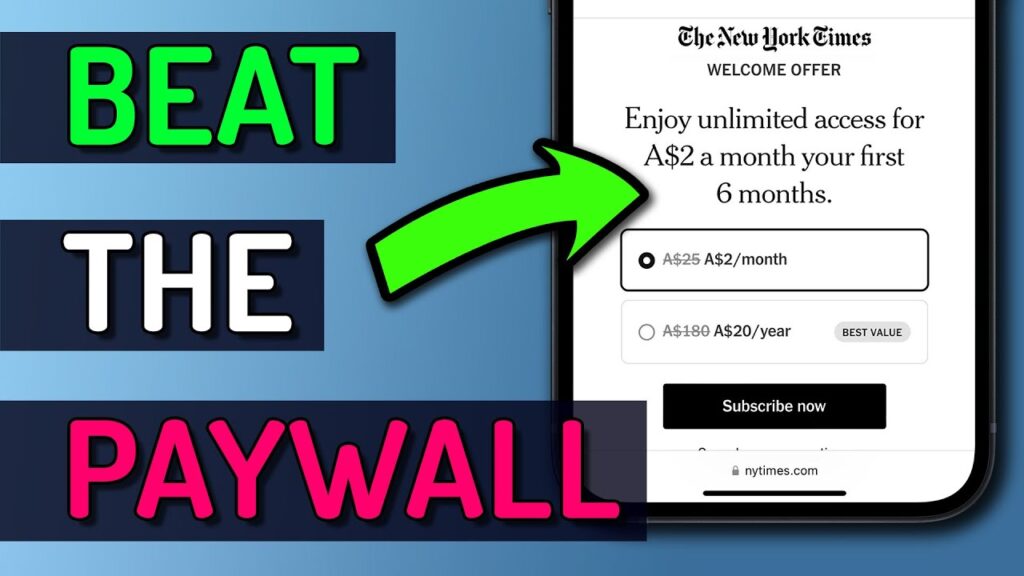
Paywall Bypassing on Mobile Devices
On Android
Android users can install the Bypass Paywalls Clean extension through alternative browsers like Kiwi Browser. Although removed from the official Mozilla store, it is still functional and effective on many sites.
On iPhone
iPhone users can turn to Shortcuts. The Shortcuts app allows automations that bypass paywalls. Popular shortcuts include AntiPaywall, Paywall Bypass, and Unpaywall. These may not work for all sites, but they are useful for occasional access.
Legal and Ethical Alternatives
While the above methods are effective, not all of them align with publishers’ terms of service. If you want to stay entirely on the legal and ethical side, here are alternatives that respect the value of journalism.
Use Your Library’s Digital Access
Many public libraries provide free access to newspapers, magazines, and academic journals through their portals. By logging in with your library card, you can access content legally, since the library pays for the subscription.
This option is especially useful for expensive publications, such as The Wall Street Journal or The Economist.
Request a Gift Article
Some outlets, like The New York Times and The Washington Post, allow subscribers to share gift links to articles. If you know someone who subscribes, ask them to send you a gift link.
This option is not always practical but works well if you only need access to one or two articles occasionally.

The Ethics of Paywall Bypassing
Bypassing paywalls raises important questions. On the one hand, information access is crucial for an informed society. On the other hand, journalism costs money to produce, and publications rely on subscriptions to survive.
A balanced approach is to support the outlets you read most frequently. If you regularly use a site, consider subscribing. For occasional reading, free tools and library access are reasonable. The key is to avoid exploiting loopholes excessively, which ultimately harms the sustainability of journalism.
FAQs
What is the easiest way to bypass an article’s paywall?
The easiest and most reliable way is using Archive.today, which creates archived versions of web pages, often displaying the full article.
Does 12ft.io work on all paywalled websites?
No. 12ft.io works on many sites but fails on some, such as The Wall Street Journal. In such cases, alternatives like Archive.today or Shacklefree.in are better.
Is bypassing paywalls legal?
Not always. While tools like libraries and gift links are legal, some paywall bypassing services violate terms of service. Use them sparingly and support journalism by subscribing when possible.
Can I bypass paywalls on my smartphone?
Yes. On Android, you can use the Kiwi Browser with extensions like Bypass Paywalls Clean. On iPhone, the Shortcuts app can automate paywall bypasses.
Are there ethical ways to access paywalled articles for free?
Yes. Many libraries provide free digital access to newspapers and journals, and some publishers allow subscribers to share gift articles each month.
Conclusion
Paywalls are here to stay. They represent a necessary evolution in how journalism and research are funded in the digital age. Still, readers sometimes need quick access to an article, whether for research, professional work, or simple curiosity.
The best way to get past an article’s paywall depends on your needs. For reliability, Archive.today stands out. For speed, 12ft.io and Shacklefree.in are excellent. If you prefer summaries, Smry.ai adds AI-powered insights. For those comfortable with technical methods, disabling JavaScript or editing webpage elements may help.
At the same time, ethical alternatives like library access and gift articles ensure you stay within legal boundaries while still getting the information you need.
Ultimately, the healthiest approach is a balance: use bypass methods sparingly for one-off needs, and subscribe to outlets you value most. Supporting journalism ensures that the content you want to read will continue to exist in the future.
