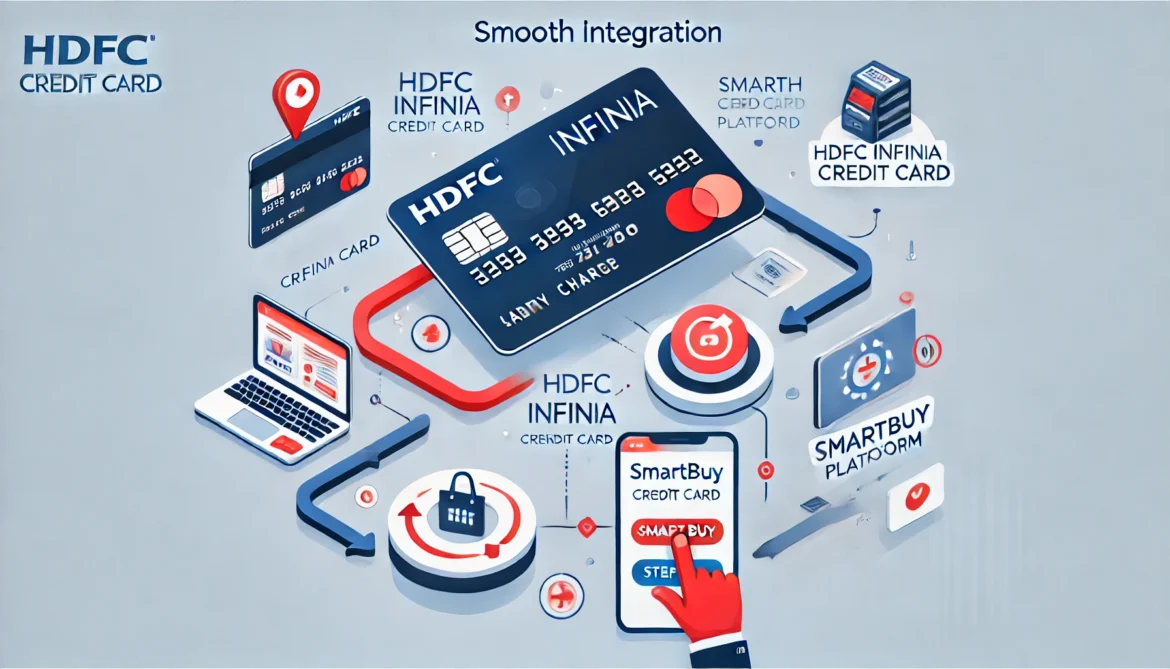
When I recently switched from the HDFC DCB card to the prestigious HDFC Infinia Credit Card, I expected a smooth transition, as it was the obvious upgrade for someone with a premium credit card taste. However, little did I know, the road to fully enjoying the perks of this new card wasn’t going to be as seamless as I had imagined. A few bumps along the way took me by surprise, especially when it came to linking the HDFC Infinia to the Smartbuy account. So, in this guide, I’ll walk you through the process and share my personal experience to help you avoid any pitfalls. Trust me, once you understand the nuances of HDFC Infinia and its integration with Smartbuy, everything will make sense.
My Journey: From DCB to Infinia
Before diving into the details of the HDFC Infinia linkage to Smartbuy, let me share a bit of my personal journey. I’ve always been someone who prefers top-tier banking and credit card benefits. My HDFC DCB card served me well for several years, but once I decided to make the switch to the HDFC Infinia, I thought everything would fall into place. The DCB was excellent, especially since I didn’t have a savings account with HDFC. This allowed me to access the HDFC credit card portal, which was far superior in tracking and managing credit card details.
But once I made the leap to Infinia, I quickly realized the platform was not as intuitive as I had hoped. For one, I now had an HDFC savings account, and that meant I could no longer use the HDFC credit card portal—a move that left me scratching my head. Moreover, linking the Infinia card to my Smartbuy account seemed to be another hurdle, as it wasn’t as simple as I thought.
Understanding the Shift: DCB to Infinia and Its Impact
HDFC NetBanking vs. HDFC Credit Card Portal
One of the key differences I noticed post-transition was the shift from the HDFC credit card portal to the NetBanking system. Previously, I didn’t have an HDFC savings account. This allowed me to access the credit card portal, which I found far more efficient and easier to use for tracking my spending, points, and other card-related details.
With the HDFC Infinia, however, things changed. Now that I had a savings account linked to the same HDFC branch, I was required to manage everything via HDFC NetBanking. To be honest, HDFC NetBanking didn’t impress me. The interface was clunky, and I couldn’t find the detailed insights I used to get with the credit card portal. The shift was jarring, but I soon realized that HDFC NetBanking is meant to serve all account types under a single platform. Still, it didn’t hold a candle to the ease of access and in-depth details available on the credit card portal.
The Challenges of Linking Infinia to Smartbuy
Now, let’s talk about the real headache I encountered: linking the HDFC Infinia card to Smartbuy. When I was using the DCB, I could seamlessly link my card to the Smartbuy portal and take advantage of all the discounts, cashback, and offers available. I had the card linked for months, with no problems. But after I switched to the Infinia, I encountered a roadblock. Despite having my card details entered correctly, I couldn’t link it to the Smartbuy account anymore.
Initially, I thought I was missing a step or some small detail. But after a long call with HDFC customer care, I was told that I needed to make a transaction using the Smartbuy portal before the system would allow me to link my Infinia card. This requirement was new to me. When I had the DCB, this was never a requirement. I could easily link the card right after entering the details.
Why the New Step?
The added step of making a transaction seems like a strange rule that doesn’t match up with the ease of use I had with DCB. It’s possible that HDFC made this change to ensure that users were actively engaging with the Smartbuy platform before fully activating the benefits with their new card. Whether it’s a system update or a policy change, it’s definitely something that users need to be aware of.
Step-by-Step Guide to Link HDFC Infinia to Smartbuy
So, if you’re in a situation like mine, here’s a quick and easy guide to help you link your HDFC Infinia to Smartbuy and make sure everything works as expected:
Log into Your Smartbuy Account
Head over to the Smartbuy portal. If you don’t have an account yet, create one by signing up and filling in the required details. Once you’re set, log into your account.
Check Card Details
Before trying to link your card, make sure that your HDFC Infinia details are accurate and up to date. This includes your name, billing address, and card number.
Make a Transaction
Now, the key step. As I learned from my experience, you need to make a transaction using Smartbuy. Choose a product or service that you’re interested in and complete the purchase. It could be anything—from an online shopping purchase to booking flights. This step signals to the system that your Infinia card is now active and ready for rewards.
Attempt Linking the Card
After completing the transaction, go back to your Smartbuy account. Navigate to the section where you can add or manage credit cards. Enter your Infinia details and attempt to link the card. It should now work smoothly without any issues.
Enjoy Your Benefits
Once your Infinia card is successfully linked to Smartbuy, you can start enjoying the amazing benefits of both platforms. Access exclusive offers, cashback deals, and discounts.
Troubleshooting Common Issues
The Link Still Isn’t Working
If, after completing the transaction, you’re still unable to link your card, try logging out of your Smartbuy account and logging back in. Sometimes, this refreshes the system and allows it to process your card details.
Double-Check Card Details
It may seem obvious, but double-checking your Infinia card details is crucial. Ensure that the details match exactly what is on your HDFC account. Incorrect details could be the reason your card isn’t being linked.
Reach Out to Customer Care
If all else fails, don’t hesitate to reach out to HDFC customer care again. They should be able to provide further assistance and clarify any additional steps or issues that may be preventing your card from being linked.
Frequently Asked Questions
What is the HDFC Infinia Smartbuy linkage, and why is it important?
The HDFC Infinia Smartbuy linkage allows cardholders to link their HDFC Infinia credit card to the Smartbuy platform for exclusive offers, discounts, and enhanced rewards. It helps users maximize their card benefits while shopping on partner websites or platforms associated with Smartbuy.
How do I link my HDFC Infinia card to Smartbuy?
To link your HDFC Infinia card to Smartbuy, log in to your HDFC NetBanking account. Navigate to the “Smartbuy” section, and follow the on-screen instructions to link your card. You may need to authenticate the process via OTP or other security measures.
What are the benefits of linking my HDFC Infinia card to Smartbuy?
Linking your HDFC Infinia card to Smartbuy unlocks several benefits, including:
- Access to exclusive discounts on partner websites.
- Earning bonus reward points for purchases made through Smartbuy.
- Early access to sales, offers, and promotions across various online platforms.
Can I use my HDFC Infinia card on other e-commerce sites after linking it to Smartbuy?
Yes, once your card is linked to Smartbuy, you can still use your HDFC Infinia card for purchases on other e-commerce platforms. However, you will only receive the Smartbuy benefits and offers when shopping on the eligible partner sites.
Are there any additional fees for linking my HDFC Infinia card to Smartbuy?
No, there are no additional fees for linking your HDFC Infinia card to Smartbuy. It is a free service provided by HDFC to help cardholders make the most of their rewards and discounts while shopping online.
Conclusion
Switching from the HDFC DCB card to the Infinia comes with its set of challenges, particularly when it comes to integrating with the Smartbuy platform. However, with a little patience and the right knowledge, you can easily navigate these hurdles. Whether it’s the transition from the credit card portal to NetBanking or dealing with the extra step of making a transaction before linking to Smartbuy, the journey is worth it.
If you’ve been facing similar issues or have already overcome them, let me know! I’d love to hear how your experience has been with HDFC Infinia and Smartbuy. Stay tuned for more updates on maximizing the use of your premium credit cards and making the most out of platforms like Smartbuy!
