Have you ever wondered how to find your Axis Customer ID when you don’t even have an active bank account with Axis Bank? This might sound tricky, but don’t worry; you’re not alone in this dilemma. A common situation many cardholders face is that they hold an Axis Bank Credit Card or debit card but don’t have a registered bank account. In such cases, getting your customer ID can be a challenge if the usual methods don’t work.
My Journey to Find the Axis Customer ID
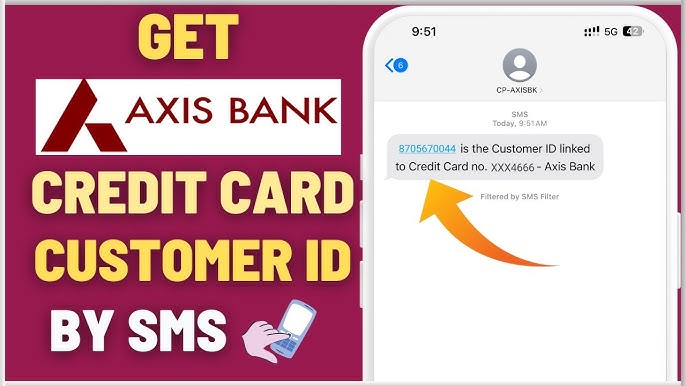
Let me tell you a quick story. A few weeks ago, I was facing a similar situation. I was holding an Axis Bank Credit Card, but there was no bank account linked to it. I needed to find my customer ID to access certain services, but I had no idea how to go about it. After multiple attempts to get a response from the bank by sending SMS messages like CUSTIDCC XXXX (where XXXX represents the last four digits of my card) to 56161600 and 5676782, I was left wondering why I wasn’t getting any response. Feeling lost, I began researching and exploring every possible method to solve the issue.
This article is here to guide you step by step through the process of finding your Axis Bank Customer ID even if you don’t have a bank account. Trust me, it’s more doable than you think!
Why Do You Need an Axis Customer ID?
Before diving into the methods of finding your Axis Customer ID, let’s understand why it’s essential. Customer ID is a unique identification number assigned by Axis Bank to every customer, whether they hold a savings account, a credit card, or any other financial product. This ID is crucial because:
- Access to Online Banking: You need it for logging into Axis Bank’s net banking portal.
- Quick Communication: It helps Axis Bank identify you when you contact their support team.
- Eligibility Verification: Some services require a customer ID for verification.
Without this number, you may face difficulties accessing certain banking services. So, finding it is important, especially if you don’t have a bank account with Axis.
Step-by-Step Guide to Find Your Axis Customer ID Without a Bank Account
Understanding the Basics
Let’s start by understanding that your Axis Customer ID isn’t tied exclusively to a bank account. Even though you may not have an active savings or current account, the Axis Bank Credit Card that you hold should also have an associated customer ID. This makes things slightly easier, as you still have a means of accessing the bank’s systems.
SMS Method – What Went Wrong?
You probably tried sending an SMS with the format CUSTIDCC XXXX to numbers like 56161600 or 5676782, and you did not get a response. Here’s why this might happen:
- Incorrect Number or Format: Ensure that you are sending the message to the correct number. Sometimes, the bank might change the number for such services.
- Bank’s Response Time: It can take some time for Axis Bank to respond, especially if the system is experiencing high traffic or there’s an error.
- Card Type Limitations: Not all Axis Bank cards might be eligible for this method. Some specific cards may not be registered in the same system, making it difficult to retrieve the ID this way.
Try Contacting Axis Bank Customer Care
If the SMS method doesn’t work, don’t panic! You can always reach out to Axis Bank Customer Care to request your customer ID. Here’s how to do it:
- Dial the Customer Care Number: Call 1860 419 5555 (for credit card customers) or 1860 500 5555 (for general inquiries).
- Authenticate Yourself: The customer care executive will ask for some personal details, including your card number and other relevant information. Be prepared to verify your identity.
- Request Your Customer ID: Once your identity is verified, simply ask for your Axis Customer ID. They will provide you with the ID over the phone or via email.
Axis Bank Mobile App
Another way to find your customer ID is through the Axis Bank Mobile App. Here’s how you can do it:
- Download the Axis Bank App: If you haven’t already, download the official Axis Bank mobile app from the Google Play Store or Apple App Store.
- Log In to Your Account: Open the app and log in using your credit card details or any other method that the app allows.
- Navigate to Profile Section: Once you’re logged in, navigate to the profile section or account settings.
- Look for Your Customer ID: You should be able to find your customer ID listed under your personal information.
Visit the Nearest Axis Bank Branch
If you’re still having trouble finding your Axis Customer ID, the next step is to visit an Axis Bank branch. Here’s how you can approach this:
- Carry Your Card and ID Proof: Ensure that you take your Axis Bank Credit Card along with a valid ID proof (like your Aadhar card, Passport, etc.).
- Request the Customer ID: Approach the customer service desk and explain that you don’t have an Axis Bank account, but you need to know your customer ID for the credit card. They will assist you in retrieving it.
Check Your Bank Documents
If you still have access to any bank-related documents from Axis, you may find your customer ID on them. Look for documents like:
- Welcome Kit: When you received your Axis Bank Credit Card, it’s possible that your customer ID was mentioned in the welcome kit.
- Monthly Statements: Some monthly statements may also list the customer ID.
If you still have the physical documents or PDFs of your Axis Bank Credit Card statements, go through them carefully. You might just find the ID printed on them.
Alternative Methods to Find Your Axis Customer ID
In case all the standard methods fail, here are a few alternative techniques that might help:
- Online Forums and Social Media: Sometimes, bank customers share their experiences in online forums or on Axis Bank’s official social media pages. You might find valuable advice or even direct assistance in such places.
- Mobile Banking Helplines: Apart from calling customer support, you can try mobile banking helplines. Axis Bank sometimes has dedicated numbers for cardholders.
Why Some Methods May Not Work
Sometimes, despite trying multiple approaches, you may not get the customer ID for reasons like:
- Incorrect Details: If the information you provided doesn’t match the bank’s records, it could delay the process.
- Technical Glitches: Banks often face technical glitches, especially when handling customer requests through SMS or online channels.
Frequently Asked Questions
Can I find my Axis Customer ID without having a bank account with Axis?
No, an Axis Customer ID is specifically tied to an active account with Axis Bank. If you do not have a bank account with Axis, you will not have a Customer ID.
Is it possible to retrieve my Axis Customer ID through Axis Bank’s mobile app?
Yes, if you have an account with Axis Bank, you can easily retrieve your Customer ID through the Axis mobile banking app by logging in and navigating to your profile or account details.
What should I do if I have forgotten my Axis Customer ID?
If you’ve forgotten your Axis Customer ID, you can find it by checking your account-related documents like your bank passbook, debit card, or account statement. Alternatively, you can reach out to Axis Bank’s customer support to recover it.
Can I obtain my Axis Customer ID by calling Axis Bank’s customer service?
Yes, you can contact Axis Bank’s customer service helpline to request your Customer ID. Be ready to provide your personal details and some verification information to confirm your identity.
Can I find my Axis Customer ID from an ATM receipt?
Yes, your Axis Customer ID is often printed on the receipt when you perform transactions at Axis Bank ATMs. Check the receipt for the details, including your Customer ID.
Conclusion
So, there you have it! Finding your Axis Customer ID without a bank account can seem challenging at first, but it’s entirely possible using a few simple methods. Whether through SMS, customer care, mobile apps, or a quick visit to your nearest Axis Bank branch, you can get your customer ID in no time.
Remember, patience is key. If one method doesn’t work, try the next! By following these steps, you’ll be equipped to handle any situation that arises with your Axis Bank Credit Card. Stay confident, and don’t hesitate to reach out to Axis Bank’s customer service for further assistance.
