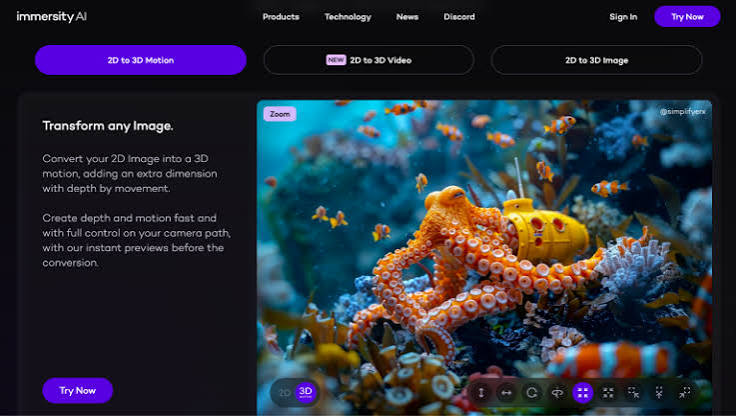
Immersity AI turns a 2D image into 3D motion by generating a depth map, then moving a virtual camera through the scene to create parallax. For filmmakers who want generated motion as well as depth, Adobe Firefly’s AI video generator animates stills with camera moves, start and end frames, and camera motion reference.
Picture a documentary filmmaker working with a box of archival photographs: a 1950s street scene, a family portrait, a factory floor. Static photos on screen can feel flat, and the classic slow zoom only goes so far. Adding depth changes that. When foreground figures shift slightly against the background as the camera drifts, the image starts to feel like a moment you could step into. Today, filmmakers have two main AI approaches for that effect. Depth-based tools estimate how far each part of the photo is from the camera and create parallax without changing the content. Generative image to video tools go further, adding new motion like wind, water, or a subtle turn of the head.
Immersity AI, formerly known as LeiaPix and made by Leia Inc., is built on the first approach. Leia says its Neural Depth Engine generates the depth map behind each conversion. You can set options like animation style, amount of motion, animation length, focus point, and edge dilation, and Immersity also offers depth map editing to fine-tune the effect. G2’s listing says it exports MP4 and GIF files at up to 4K. Coverage of the launch notes that premium exports without a watermark and with commercial usage rights are credit-based.
How Image to Video Tools Animate Images
Image to video tools animate images in one of two ways: by moving a camera through a depth-mapped photo, or by generating new frames that add motion inside the scene.
Depth-based tools like Immersity keep every pixel of your original image. They create the illusion of 3D by shifting layers at different speeds, which suits archival photos, artwork, and any image that must stay faithful to the source.
Generative tools like Firefly start from your image as the first frame and create new motion. Adobe says Firefly can add effects like smoke, water, and fire, and you describe the motion you want in a prompt. Clips currently run five seconds at 1080p. This approach can bring a scene to life, such as rippling flags or drifting fog, but it may introduce small changes, so review results carefully when accuracy matters.
Using Image to Video Camera Motion for Depth
Image to video camera motion is one of the most effective ways to suggest depth, because moving the viewpoint reveals how close or far things are.
Firefly offers camera controls for zoom, pan, tilt, and directional movement such as left-to-right or top-down, plus shot sizes from extreme close-ups to long shots and angles from aerial to low-angle. A slow push in toward a subject separates it from the background, while a lateral move creates the parallax viewers associate with real cameras.
For precise movement, Firefly’s camera motion reference lets you upload a start frame and a reference video so the new clip copies that camera move. Tom’s Guide noted it helps solve inconsistent movement.
Immersity offers a similar idea in depth-based form, with control over the camera path through the 3D scene. In both cases, slower moves look more cinematic and hide edge artifacts better.
Image to Video Camera Movement With Start and End Frames
Image to video camera movement becomes far more predictable when you set both a start and an end frame.
In Firefly, you upload your image as the first frame and can add an optional end frame. The model then generates motion that travels between them. For filmmakers, that’s a way to design a shot: start wide on an archival street scene and end on a tighter crop of a single storefront, and the camera movement fills in the path.
Start and end frames also help with continuity. If you’re building a sequence from several clips, you can use the last frame of one shot to begin the next, so the edit flows smoothly.
Combine frames with a clear camera instruction and gentle motion words in your prompt. Adobe’s own starter prompt for image to video calls for a slow zoom, slight background movement, and gentle motion.
For Filmmakers: How a Depth Map Adds 2D Image Motion
For filmmakers, a depth map is the key to adding convincing 2D image motion without reshooting.
A depth map is a grayscale version of an image where brightness represents distance from the camera. Leia explains that depth map accuracy is critical, because it determines whether the 3D rendering looks right to viewers. With an accurate map, software can move the foreground and background at different speeds, creating parallax from a single photo.
Immersity generates depth maps automatically and lets you edit them to refine the effect, which helps when hair, glass, or fine edges confuse the AI. Its API can also generate disparity maps from 2D images for teams building their own tools.
Many filmmakers combine approaches: use a depth tool for faithful archival moves, and a generative tool like Firefly when a shot needs new motion.
FAQ
Which approach is best for historical photos?
Depth-based tools are often the safer choice, since they move the camera without changing the photo’s content. Generative tools can add motion but may alter small details, which matters for documentary accuracy.
Can I use these clips in a commercial film?
Check each tool’s terms. Coverage of Immersity’s launch says commercial usage rights come with premium exports. Adobe says Firefly’s commercial usage eligibility depends on the model used, and its own models are designed to be commercially safe.
What causes edge artifacts in depth-based motion?
Artifacts usually appear where the depth map is uncertain, such as around hair or transparent objects. Editing the depth map, reducing the amount of motion, and slowing the camera can help.
